
Maintenance and repair of Sollant Rotary Screw Air Compressor, common problems during use, and how to solve these problems
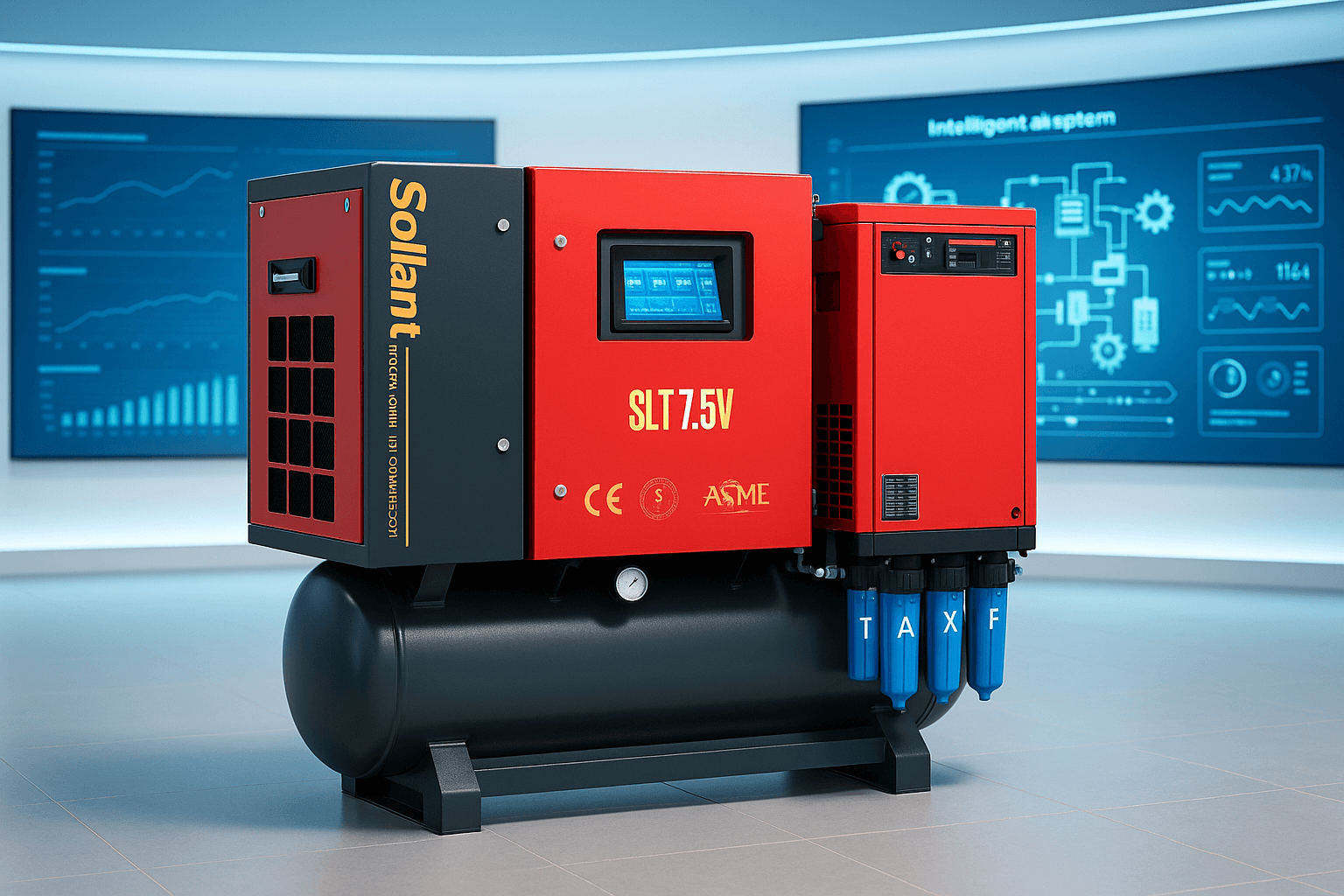
You might notice a few issues pop up when you use your Sollant Rotary Screw Air Compressor. Here are some of the most common ones:
-
High discharge temperature
-
Compressor failure to start
-
Low exhaust pressure
-
Inability to unload properly
Regular maintenance makes a big difference. It keeps your compressor running smoothly and helps you avoid downtime. When you check things often, you catch small problems before they turn into big repairs. This means you get safe, efficient operation and a longer-lasting machine.
Table of Contents
Key Takeaways
-
Regular maintenance is crucial for your Sollant Rotary Screw Air Compressor. It helps catch small issues before they become big problems, ensuring smooth operation and a longer lifespan.
-
Common issues include air leaks, overheating, low pressure, excessive oil, and starting troubles. Identifying these problems early can save time and money.
-
Perform daily checks on oil levels, leaks, and unusual noises. A simple routine can prevent major breakdowns and keep your compressor running efficiently.
-
Use diagnostic tools like thermal cameras and pressure testers to monitor performance. These tools help you spot issues quickly and accurately.
-
If your compressor won’t start, check the control panel for error codes and inspect the power supply. Quick troubleshooting can often resolve the issue without professional help.
Common Problems
Air Leaks
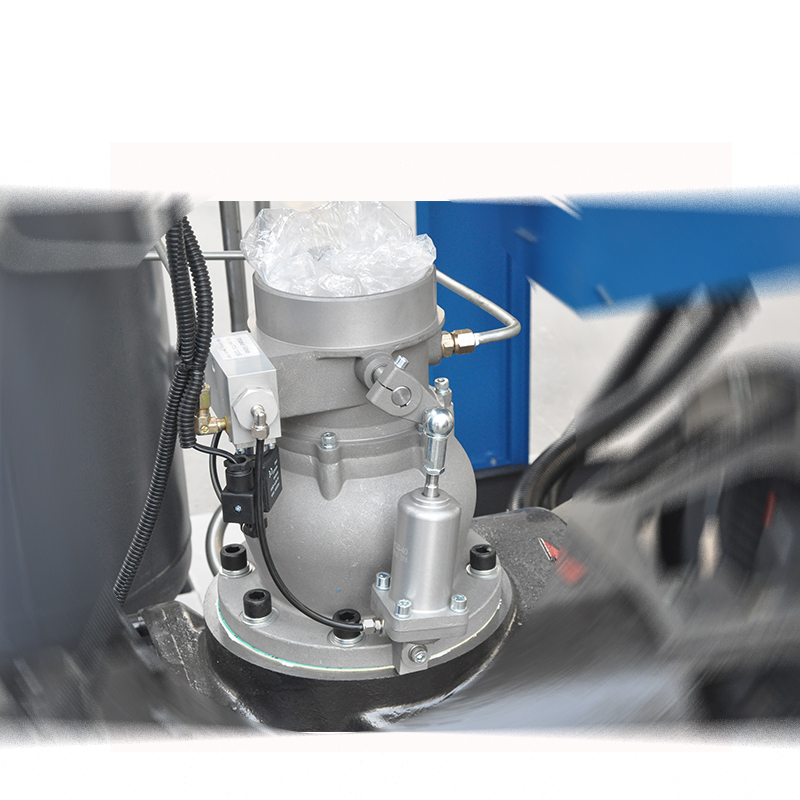
You might spot air leaks around fittings, hoses, or connections. If you hear a hissing sound or notice a drop in pressure, that’s a sign. Leaks can happen when seals wear out or pipes loosen. Sometimes, a faulty intake system causes normal operation but no pressure. Regular checks help you catch leaks early.
Overheating
Your Sollant Rotary Screw Air Compressor can trigger an overheating alarm if the temperature goes above 100°C. You may see the compressor stop or shut down. Overheating often comes from blocked filters, low oil levels, or poor ventilation. High exhaust temperature can also trip the system and cause shutdowns. Keeping the cooling system clean helps prevent this.
Tip: Always check the discharge temperature display. If it’s too high, let the compressor cool down before restarting.
Low Pressure
Low pressure can slow down your work. You might notice tools running weak or the compressor not reaching set pressure. This can happen if the compression valve gets stuck or if there are leaks in the pipes. Sometimes, a damaged time relay causes the pressure to drop while the motor keeps running. Inspecting valves and connections helps restore normal pressure.
Excessive Oil
If you see oil in the compressed air or around the machine, it’s a sign of excessive oil. This can come from worn seals or overfilled oil tanks. The Sollant Rotary Screw Air Compressor uses advanced oil filters to keep oil levels steady, but regular checks are still important. Clean filters and proper oil levels keep your air clean.
Noise and Vibration
Unusual noise or vibration can mean loose parts or worn bearings. You might hear rattling or feel shaking during operation. These issues can affect performance and safety. Tightening bolts and replacing worn parts helps keep your compressor running smoothly.
Starting Issues
Sometimes, your compressor won’t start. You may notice the pressure jumps to the upper limit right away, which can mean a stuck compression valve. Electrical problems or a faulty relay can also cause starting trouble. Checking the control panel and relays helps you find the problem fast.
Note: Sollant Rotary Screw Air Compressor models like the 11kw and 15kw have user-friendly displays to help you spot issues quickly.
Diagnosing Issues
Visual Checks
Start with a simple walk-around. Look at your compressor for anything unusual. You might see oil spots, loose wires, or dust buildup. Check the hoses and fittings for cracks or leaks. If you spot a puddle or hear a hiss, you probably have a leak. Make sure the control panel lights up and shows normal readings. If you see warning lights, take note. Sometimes, just looking closely helps you catch problems before they get worse.
Performance Monitoring
Keep an eye on how your compressor runs. Watch the pressure gauge and listen for changes in sound. If the machine starts making strange noises or the pressure drops, something might be wrong. You can use special tools to track vibration and temperature. These tools help you spot trouble early.
Vibration analysis is the testing and tracking of an air compressor’s vibration profile to aid in diagnosing any current or future faults. Every compressor has its own vibration signature and documenting and tracking that unique vibration allows you to ‘see’ a number of performance issues.
Here are some ways technology helps you monitor performance:
-
IIoT technology collects, transmits, and analyzes key performance indicators (KPIs) from compressors.
-
You get 24/7 real-time data monitoring.
-
Service teams and plant managers can check machine health and receive alerts from anywhere.
Using Diagnostic Tools
You have lots of tools to help you find problems. Use a thermal camera to check for hot spots. Try a vibration meter to measure shaking. Plug in a pressure tester to see if the air output matches the settings. Some models of the Sollant Rotary Screw Air Compressor come with smart displays that show error codes and system status. These features make it easier for you to spot issues fast. If you’re not sure what a reading means, ask your service team for help. They can use advanced tools to dig deeper and fix problems before they slow you down.
Solutions for Sollant Rotary Screw Air Compressor
Fixing Air Leaks
Air leaks can waste energy and lower your compressor’s performance. You can fix most leaks with a few simple steps:
-
Listen for hissing sounds, especially when the workshop is quiet. This helps you find leaks fast.
-
Use an ultrasonic acoustic detector. This tool picks up high-frequency sounds from leaks, even in noisy places.
-
Tighten all connections and fittings. Sometimes, a loose part is the only problem.
-
Replace old or worn hoses and seals. Fresh parts stop leaks before they start.
-
Apply thread sealant the right way. A good sealant keeps air from escaping.
If you use a Sollant Rotary Screw Air Compressor like the 11kw or 15kw model, regular checks make a big difference. These compressors have easy-access panels, so you can inspect fittings and hoses quickly. Try to check for leaks every week. This habit saves energy and keeps your compressor running strong.
Resolving Overheating
Overheating can cause your compressor to shut down or slow your work. You can prevent this by keeping the cooling system clean and making sure the oil level stays right. Here’s what you can do:
-
Clean the air filters and cooling fins often. Dust and dirt block airflow and raise the temperature.
-
Check the oil level before each use. Low oil makes the compressor work harder and get hotter.
-
Make sure the compressor has enough space around it. Good airflow helps cool the machine.
-
Inspect the ventilation fans. Replace any that don’t spin well.
Sollant Rotary Screw Air Compressor models like the 22kw and 37kw have advanced temperature sensors. These sensors alert you if the temperature gets too high. If you see a warning, let the compressor cool down before restarting. Regular cleaning and oil checks help you avoid most overheating problems.
Tip: Set a reminder to clean filters and check oil every week. This simple step can prevent most overheating issues.
Restoring Pressure
Low pressure can slow down your tools and make jobs take longer. You can restore pressure by checking a few key parts:
-
Inspect the compression valve. If it sticks, clean or replace it.
-
Look for leaks in the pipes and hoses. Even a small leak can drop the pressure.
-
Check the time relay. If it’s damaged, swap it out for a new one.
-
Make sure the intake filter is clean. A clogged filter limits airflow.
Sollant compressors like the 45kw and 7.5kw models have adjustable pressure settings. Use the control panel to set the right pressure for your job. If you notice pressure dropping, check these parts first. Quick fixes keep your work moving.
Reducing Oil Consumption
Too much oil in your compressed air can cause problems for your tools and products. You can reduce oil consumption with these steps:
-
Inspect and overhaul the minimum pressure valve. This stops oil and gas from leaking, which keeps oil use low.
-
Replace oil filters on schedule. Sollant compressors use high-density filter materials that separate oil from air better.
-
Use the right oil type and fill to the correct level. Too much or too little oil can cause waste.
-
Check for worn seals and gaskets. Replace them if you see oil around the machine.
The Sollant 7.5kw industrial air compressor uses less oil than many other models. If you want even better oil control, look for compressors with advanced oil separation systems, like the 55kw screw drive air compressor. Regular filter changes and valve checks help you save oil and money.
Quiet Operation
Loud compressors can make your workspace uncomfortable. Sollant Rotary Screw Air Compressor models are designed to run quietly, but you can keep them even quieter with a few steps:
-
Tighten all bolts and fasteners. Loose parts can rattle and make noise.
-
Replace worn bearings and rubber mounts. These parts absorb vibration and lower sound.
-
Place the compressor on a flat, stable surface. Uneven floors can cause extra vibration.
-
Use sound-dampening mats if your workshop is very quiet.
The 37kw and 45kw models have direct drive systems and soft start inverters. These features help reduce noise and vibration. If you notice new sounds, check for loose or worn parts right away.
Note: A quiet compressor is a sign of good health. Listen for changes in sound to catch problems early.
Starting Troubleshooting
If your compressor won’t start, don’t worry. You can solve most starting problems with a few checks:
-
Look at the control panel for error codes or warning lights.
-
Make sure the power supply is steady and the emergency stop button is not pressed.
-
Check the pressure switch. If it’s stuck at the upper limit, reset or replace it.
-
Inspect relays and fuses. Swap out any that look burned or broken.
-
Test the starter motor. If it doesn’t turn, it may need repair.
Sollant Rotary Screw Air Compressor models like the 11kw and 15kw have user-friendly displays. These screens show you what’s wrong, so you can fix it fast. If you still can’t start the compressor, contact Sollant’s support team for help.
Maintenance Checklist
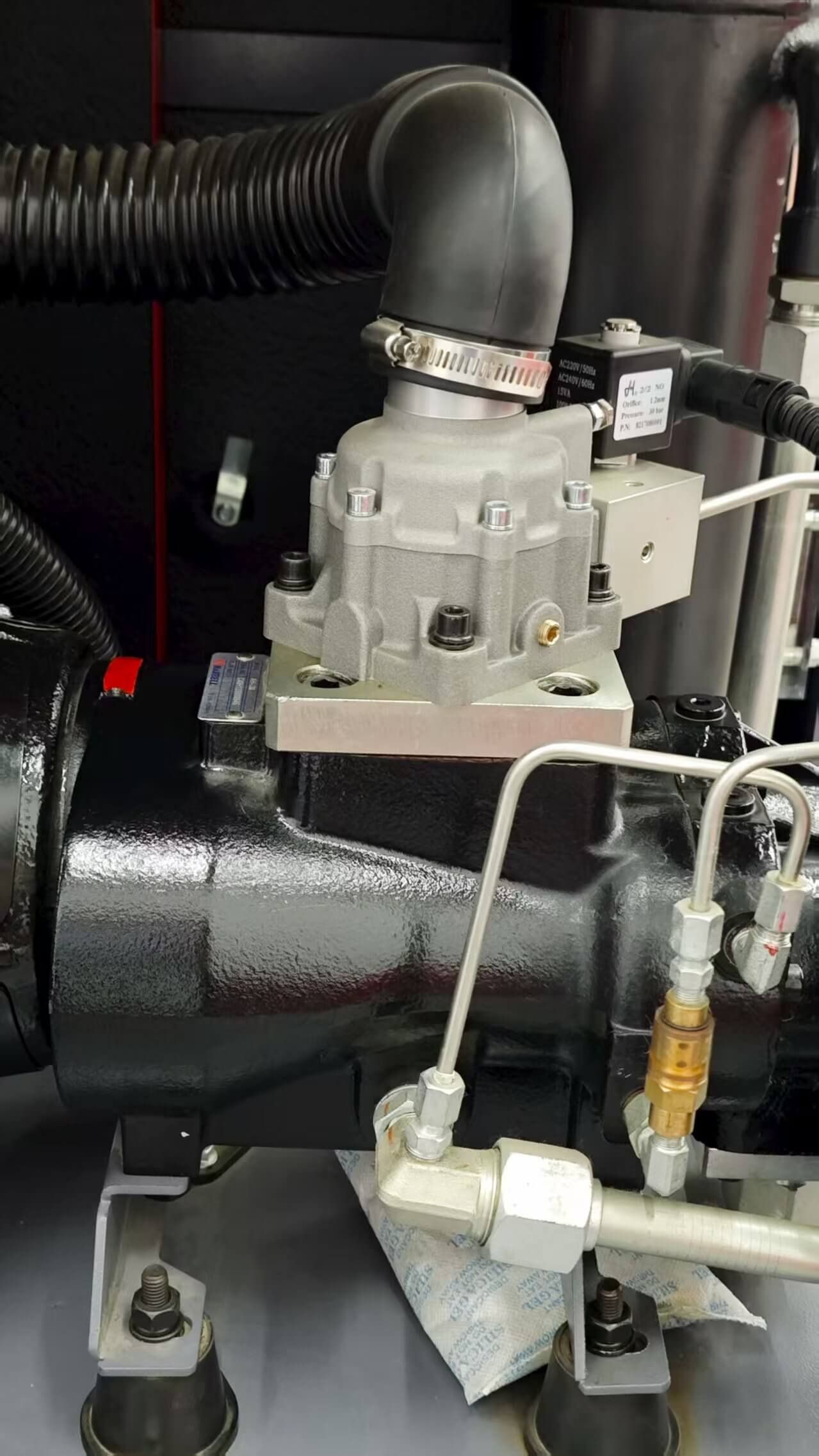
Keeping your Sollant Rotary Screw Air Compressor in top shape is easier when you follow a simple routine. Here’s a handy checklist to help you stay on track.
Daily Tasks
Start your day with a quick check. These small steps can prevent big problems later:
-
Look for oil or air leaks around the machine.
-
Check the oil level and top up if needed, but don’t overfill.
-
Inspect seals and swap out any worn gaskets.
-
Clean dust and debris from the outside.
-
Make sure all bolts feel tight and secure.
-
Listen for strange noises or vibrations.
-
Keep an emergency plan ready for oil leaks.
Tip: A clean and tidy compressor runs better and lasts longer.
Periodic Checks
Some tasks don’t need to happen every day, but you shouldn’t skip them. Use this table to remember when to do each job:
|
Maintenance Interval |
Task Description |
|---|---|
|
Daily |
Refuel each refueling point and lubricate moving parts as needed. |
|
Every 800 hours |
Clean the air valve and lubricating oil filter. |
|
Every 1200 hours |
Clean the filter, especially in dusty environments. |
|
Every 2000 hours |
Change engine oil and inspect the bearing bush and clearances. |
If you work in a dusty place, you might need to clean filters more often. Always use high-quality oil and parts for the best results.
Annual Service
Once a year, give your compressor a full checkup. Here’s what you should do:
-
Check for leaks and fix them right away.
-
Change the lubricating oil to keep things running smoothly.
-
Watch the exhaust pressure and adjust the pressure switch if needed.
-
Pay close attention to the cooling system.
Note: Annual service keeps your compressor reliable and ready for another year of hard work.
Troubleshooting Guide
Quick Reference
When your Sollant Rotary Screw Air Compressor acts up, you want answers fast. Here’s a simple checklist you can follow to get things back on track:
-
Check Before Starting
Look at the oil level. Drain any water from the tank. Inspect all hoses and connections for leaks or damage. Make sure the power supply is steady and the emergency stop button is not pressed. -
Start the Compressor
Turn on the machine. Watch the display for any warning lights or error codes. Listen for any strange noises right away. -
Monitor While Running
Keep an eye on the pressure gauge and temperature display. If you see numbers outside the normal range, pause and investigate. Listen for new sounds or feel for extra vibration. -
Shut Down Properly
Always follow the shutdown steps in your manual. For normal stops, let the compressor cool down before turning it off. For emergencies, use the emergency stop button.
Tip: Keep this list near your compressor. It helps you remember what to check every time you use the machine.
Here’s a quick table for common issues and what to check:
|
Problem |
What to Check First |
|---|---|
|
Won’t Start |
Power, fuses, relays |
|
Low Pressure |
Leaks, valves, filters |
|
Overheating |
Oil level, airflow, filters |
|
Excessive Noise |
Loose bolts, bearings |
Emergency Steps
Sometimes things go wrong fast. If you face an emergency, stay calm and follow these steps:
-
Hit the emergency stop button right away. This cuts power and stops the compressor.
-
Unplug the machine if you see smoke or smell burning.
-
Move away from the compressor if you see sparks or oil leaks.
-
Call your maintenance team or Sollant support for help.
🚨 Alert: Never try to fix electrical problems or major leaks by yourself. Safety comes first. Always wait for a trained technician.
If you follow these steps, you can handle most problems quickly and safely. Your Sollant Rotary Screw Air Compressor will thank you with years of reliable service.
Preventive Tips
Best Practices
You want your Sollant Rotary Screw Air Compressor to last a long time and work at its best. Good habits make a big difference. Here are some best practices you can follow:
-
Change the oil on a regular schedule. Fresh oil keeps the moving parts running smoothly and helps prevent wear.
-
Replace filters before they get clogged. Clean filters mean cleaner air and less strain on your compressor.
-
Inspect your system often. Look for leaks, loose bolts, or anything that seems out of place.
-
Learn the common reasons for low air volume. If you know what causes problems, you can fix them faster.
-
Stick to a regular maintenance routine. This helps you catch small issues before they turn into big repairs.
Tip: Regular inspection and maintenance keep your compressor running strong and help you avoid surprise breakdowns.
When you follow these steps, you help your compressor deliver steady performance. You also make sure it stays reliable for years to come.
Scheduling Maintenance
Setting up a maintenance schedule is one of the smartest things you can do. You do not have to wait for something to go wrong. Instead, you plan ahead and keep your compressor in top shape.
-
Schedule oil changes and filter replacements based on how much you use your compressor.
-
Plan system checks during times when your shop is less busy. This way, you do not interrupt your work.
-
Use a calendar or reminder app to track when each task is due.
-
Keep records of every maintenance job. This helps you spot patterns and plan future service.
A good schedule does more than just keep your compressor running. It helps you avoid downtime and keeps your business moving. When you control maintenance, you protect your equipment from overloads and voltage swings. This means your compressor lasts longer and works better.
😊 Staying on top of maintenance means fewer surprises and more time getting things done. Your Sollant compressor will thank you!
Sollant Support
Technical Assistance
You never have to feel alone when you run into a problem with your Sollant Rotary Screw Air Compressor. Sollant’s technical support team stands ready to help you solve any issue, big or small. You can reach out for help with troubleshooting, maintenance, or even just a quick question about your compressor’s display.
Here’s what you can expect from Sollant’s technical assistance:
-
Get step-by-step tips for troubleshooting issues like lubricating oil failures. The team can walk you through checking oil levels, inspecting filters, and making sure your compressor runs smoothly.
-
Learn how to spot common reasons for serious heating in your compressor’s motor. The support team can help you check for blocked filters, low oil, or ventilation problems.
-
Receive guidance on error codes and warning lights. If your display shows something you don’t understand, Sollant’s experts can explain what it means and what to do next.
-
Access advice on regular maintenance routines. The team can suggest the best times to change oil, replace filters, and inspect key parts.
-
Get help fast if your compressor won’t start or makes unusual noises. Sollant’s support staff can help you troubleshoot electrical issues, stuck valves, or worn bearings.
Sollant also works closely with distributors around the world. Many customers share stories about how Sollant’s support helped them get back to work quickly. Distributors receive training and resources, so you always have someone nearby who understands your equipment.
Contact Information
If you need help, you can reach Sollant’s support team in several ways. Here’s how you can get in touch:
|
Method |
Details |
|---|---|
|
|
info@sollant.com, steven@sollantmachinery.com, naim@sollant.com, barbie@sollantmachinery.com, eileen@sollantmachinery.com, donna@sollantmachinery.com |
|
☎️ Phone |
+86 176 8697 9338, +86 189 1751 7757, +86 133 8616 8517, +86 181 1636 2835, +86 181 0181 5623 |
|
🌐 Website |
💡 Tip: Save these contacts somewhere handy. If you ever need fast help, you’ll know exactly where to turn.
Sollant’s after-sales service makes sure you get the most out of your compressor. Whether you need technical advice, spare parts, or just a friendly voice, Sollant is always ready to support you.
Taking care of your Sollant Rotary Screw Air Compressor keeps it running strong and saves you money. When you follow the tips and checklists, you help your machine last longer and work better. Here’s what regular maintenance does for you:
-
Catches small problems before they grow.
-
Keeps filters and valves clean for top performance.
-
Prevents wasted energy and surprise breakdowns.
|
Benefit |
Description |
|---|---|
|
Parts like rotors and bearings last for years, so you fix things less often. |
|
|
Cost savings |
You spend less on repairs and downtime over time. |
|
Efficiency |
The compressor uses just the right amount of energy for each job. |
|
Noise reduction |
Quieter operation makes your workspace more comfortable. |
If you ever need help, Sollant’s support team is ready to answer your questions and keep your compressor in great shape.
FAQ
How often should you change the oil in your Sollant Rotary Screw Air Compressor?
You should change the oil every 2,000 hours of use. If you work in a dusty place, check the oil more often. Fresh oil helps your compressor run smoothly and last longer.
What should you do if your compressor makes a loud noise?
First, turn off the machine. Check for loose bolts or worn bearings. Tighten anything that feels loose. If the noise continues, contact Sollant support for help.
Can you use your compressor in cold or hot weather?
Yes! Sollant compressors work well in extreme weather. Just make sure you keep the cooling system clean and check the oil level before starting.
Where can you get help if your compressor won’t start?
You can reach Sollant’s support team by email or phone. They answer questions fast and help you fix problems. Save their contact info so you can find it when you need it.
😊 Tip: Always check the display for error codes before calling support.
Request a Quick Quote Now
How to do my business well ?
- Market situation
- Technology configuration
- Strike Price
- exclusive agency
- Import and export assistance
- More…

